
You know the job.
Now know the numbers.
Most trades businesses aren't unprofitable. They just can't see where their money goes — so every decision is a guess.

You find out too late
The job finishes, the invoice goes out, and months later you learn it barely broke even. By then you've priced three more the same way.
It's spread across everything
Costs in a spreadsheet, invoices in Xero, what the digger cost last year in someone's head.
The big costs hide
Wages, gear, tax and retentions all come out of the same pot. Nobody's adding them up against what came in.
How it works
Keep it up to date, and nothing about your business stays hidden. That's the whole deal.
Today — plug in your Xero
Sign in and your contacts, invoices, bills, staff and gear come across on their own. Set what your crew and machines cost an hour, and tag your first job.
Every week — keep it fed
Put your crew's hours against the jobs they worked on, and make sure every bill carries the job it belongs to — tag it in Xero and it lands here on its own. This is the bit that never stops, and it's the bit that makes everything else true.
From then on — see everything
The real margin on a job while you can still change it. What each machine earns against what it costs. What's leaving the bank next month, and what tax is behind it.
FNA Manager won't quote the job, chase the payment or swing the hammer. That's yours. What it does is make sure you're never the last to know — so when something needs fixing, you find out while there's still time to fix it.
What you get
Built for the way trades and construction businesses actually run.
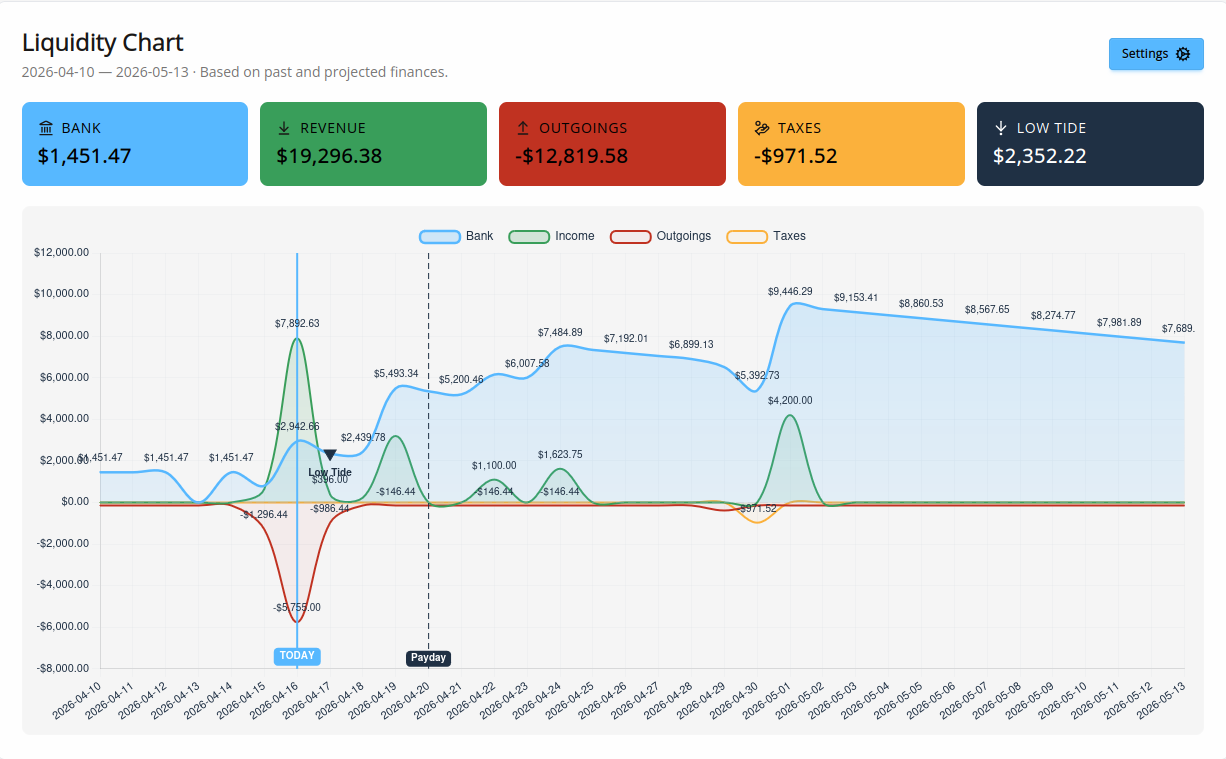
Your cash, weeks ahead
See the lowest your bank balance is heading for, and what it looks like if the slow payers stay slow. Plus what's owed to you, what you owe, and when.
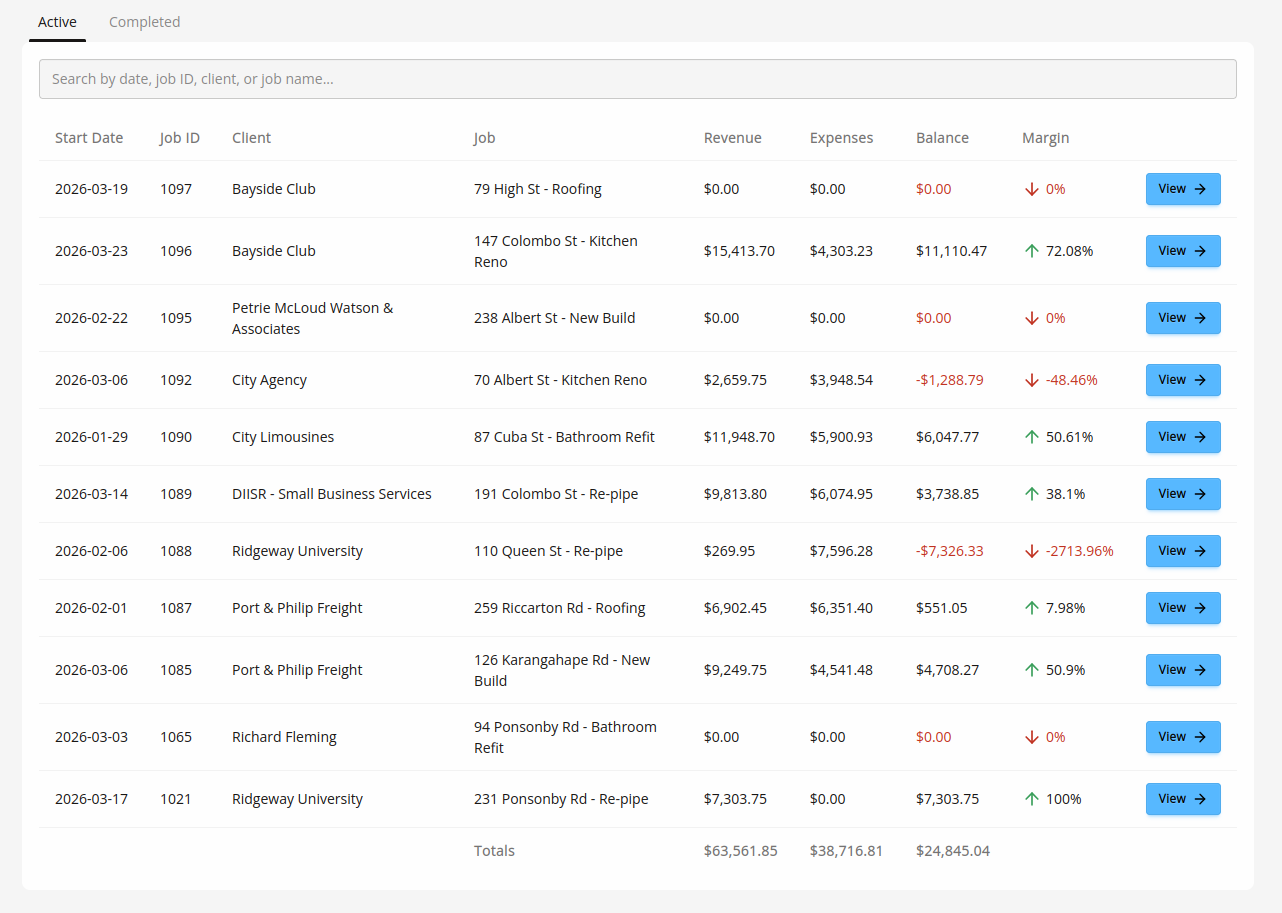
Real profit per job
Hours, gear, bills and invoices all land against the job. See the margin move as the job runs — and how it's tracking against what you quoted.

Quotes that become the budget
Price from a list that builds itself as you go. Send a tidy PDF, turn it into a job in one click and track the job against the quote as you go.
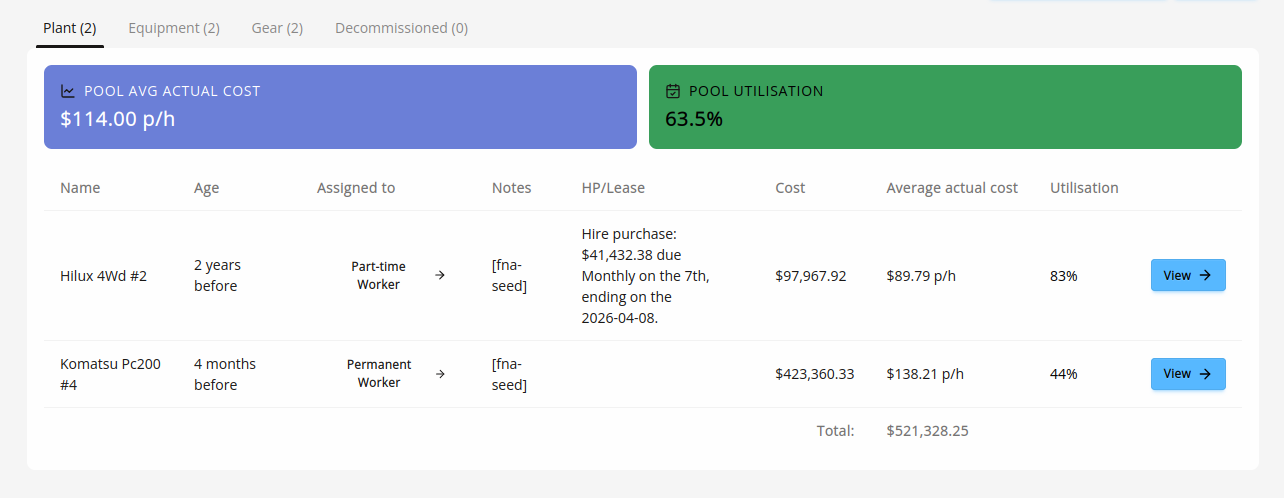
What your gear really costs
Every machine, what it earns and what it costs — including finance and leases. Reminders a month, a week and the morning before WoF, CoF, servicing and test & tag.
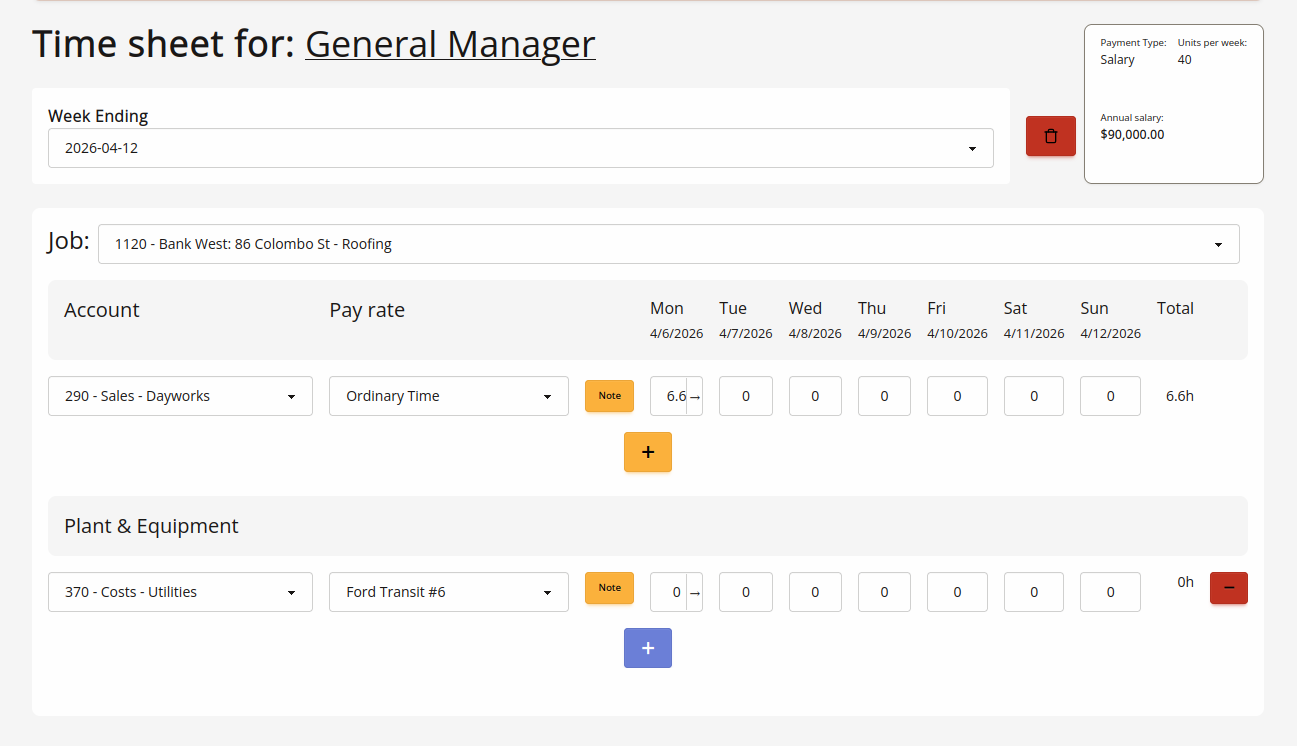
What your team really costs
Set charge-out rates, book hours against jobs, and see the true cost of an hour — not just the wage. Push timesheets to Xero Payroll when you're ready.

No tax surprises
GST, PAYE and provisional worked out from your own books, so you see them coming. A tax pot tells you whether you've put enough aside.
Two things nothing else tells you

How much of your money someone else is holding
Set the rate on the job once. Every progress claim you raise in Xero puts the retention aside on its own, up to the cap you set.
You always know what's held, what's been written off, and when each slice is due back — then you bill it out in a click. No spreadsheet. No forgotten $40k.
Bonds too. Log what you've lodged and when it's due back, and you'll be reminded a month out, a week out, and on the day — so money tied up in a bond isn't money you forget about.

Whether that machine is worth keeping
Every night we work out what each machine earned against what it cost you — hours, repairs, finance, the lot — and give you a straight answer: keep it, watch it, replace it, or sell it and hire instead.
And until we've seen enough of your own hours, we say so instead of guessing. A quiet winter looks exactly like a machine nobody needs, and only one of those is worth selling a digger over.
One price. Everything in it.
However big your team gets, the price stays the same.
Under $10 a day, for the whole business
- Every feature — there's only one plan
- Everyone in your Xero organisation can sign in, at no extra cost
- Month to month. Cancel whenever you like
- A real person answers your emails
No credit card to start. After two months we ask you to add one.
Questions people ask
Job apps run the work — quotes out, jobs booked, invoices raised. Xero records the money after the fact. Neither one tells you that the six-tonne lost money last year, that next month's GST bill is bigger than you'd put aside, or that there's retention sitting out there nobody is chasing. That's the part we do. We're built to sit alongside those tools, not replace them.
Signing in takes a couple of minutes and your Xero data comes across on its own. Then there's a short setup — confirm a few settings, say what your staff and gear cost per hour, and tag your first job. Most people are done inside an hour. After that it's hours each week and keeping your bills tagged to the right job — that's the part that keeps everything else honest.
No. Nobody on the tools needs an account. Hours go in once at the office, against the job — and if you want, straight on to Xero Payroll from there. Anyone in your Xero organisation who does need access can sign in with their Xero login at no extra cost.
Yes — that's the one thing we can't work without. Your numbers live in Xero and we read them from there, which is why there's nothing to re-type. If your books are in MYOB or a shoebox, we're not the right tool for you yet.
Stop guessing what a job made
Two months free. If it doesn't show you something you didn't know, walk away.
Sign in with XeroNo credit card to start.